
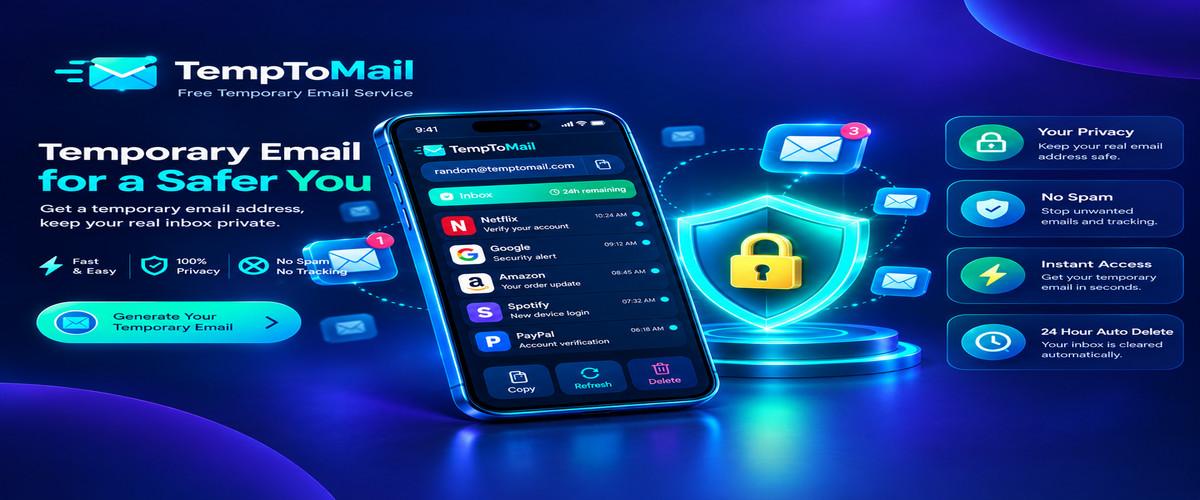
MailifyBox: The Complete Guide to Free Temporary Email Service
In an age where digital privacy is constantly challenged, protecting your primary email address from spam, data collection, and unwanted marketing has become essential. MailifyBox offers a comprehensive solution through its free temporary email service, providing disposable email addresses valid for 24 hours. Whether you need to verify a new account, receive an OTP code, or test a service without committing your personal information, MailifyBox delivers reliable temporary email functionality.
Every time you register on a new website, subscribe to a newsletter, or verify a resource that requires email verification, you're potentially exposing your primary inbox to a flood of marketing messages. MailifyBox eliminates this risk by generating disposable addresses that function like normal email accounts but disappear automatically after 24 hours.
What Makes MailifyBox Different?
While many temporary email services exist, MailifyBox distinguishes itself through reliability, extended validity, and feature richness. The 24-hour duration provides ample time to complete even complex registration processes without the rush of shorter-duration alternatives. Here's what sets MailifyBox apart:
- Extended 24-Hour Validity: Unlike 10-minute or 30-minute services, MailifyBox provides a full day of email access, eliminating time pressure.
- No Registration Required: Start using the service immediately without creating an account or providing personal details.
- Multiple Duration Options: Choose from 3, 5, 10, 20, 30, or 50-minute variants depending on your specific needs.
- Automatic OTP Detection: Our intelligent parsing engine extracts verification codes and displays them prominently.
- QR Code Sharing: Access your temporary inbox on other devices by scanning a QR code.
- Mobile-Friendly Interface: Works seamlessly across desktop, tablet, and smartphone browsers.
How MailifyBox Works: Technical Overview
Understanding the technology behind MailifyBox helps you use the service effectively. Our infrastructure combines several advanced technologies:
- Instant Address Generation: When you load the website, our system creates a unique email address using randomized strings combined with our domain. This process is instant.
- Catch-All Mail Server: Our mail servers are configured to accept messages for any address at the mailifybox.xyz domain, ensuring every generated address receives email.
- Real-Time Message Processing: Incoming emails are parsed within milliseconds and stored in temporary memory for the duration of the 24-hour validity window.
- Browser Polling: Your browser automatically checks for new messages every 4 seconds, ensuring you see incoming mail almost immediately.
- Auto-Deletion: After 24 hours, the email address and all associated messages are permanently deleted from our servers.
Privacy Benefits of Using Temporary Email
Privacy advocates consistently recommend using temporary email addresses for non-critical online activities. Here's how MailifyBox enhances your digital privacy:
- Zero Data Retention: We don't store logs, metadata, or message content beyond the 24-hour validity period.
- Complete Anonymity: No personal information is collected, stored, or shared with third parties.
- Prevents Email Tracking: Marketing trackers and pixels become ineffective when emails self-destruct.
- Reduces Spam Volume: Keep your primary inbox pristine by using temporary addresses for registrations.
- Protects Against Breaches: If a service experiences a data breach, your temporary email is no longer active.
Common Use Cases for MailifyBox
Our users find MailifyBox invaluable for various scenarios. Here are the most common use cases:
- App and Software Trials: Test premium applications without committing your primary email to future marketing.
- E-commerce Checkouts: Complete guest purchases without providing your personal email address.
- Content: Access whitepapers, eBooks, and resources that require email verification.
- Two-Factor Authentication: Receive OTP codes securely without exposing your primary inbox.
- Online Contests: Enter sweepstakes and giveaways without risking spam to your personal email.
- Forum Registrations: Join online communities anonymously to protect your identity.
- Testing Your Own Services: Developers use MailifyBox to test email functionality in their applications.
- Privacy-Focused Browsing: Maintain separation between your real identity and online activities.
Security Features That Protect Your Data
MailifyBox implements enterprise-grade security measures to ensure your temporary email experience is safe:
- HTTPS Encryption: All connections between your browser and our servers use TLS encryption.
- Content Security Scanning: Incoming emails are scanned for malicious content before rendering.
- Rate Limiting: Intelligent rate limiting prevents abuse while ensuring service availability.
- Memory-Only Storage: Messages are stored in memory rather than disk for faster deletion.
- No Cross-Session Tracking: Each temporary email session is completely isolated and independent.
- Regular Audits: Our infrastructure undergoes regular security assessments.
Best Practices for Using Temporary Email
To get the most out of MailifyBox, follow these recommended practices:
- Plan Ahead: Have the registration page open before generating your temporary address.
- Copy Immediately: Use the copy button to save your address to clipboard before navigating away.
- Monitor the Inbox: Keep the MailifyBox tab open to see incoming emails in real-time.
- Use OTP Detection: Let our system automatically extract verification codes for faster access.
- Don't Use for Critical Accounts: Temporary emails are not suitable for banking or account recovery.
- Bookmark the Page: Save MailifyBox for quick access in future sessions.
Why 24-Hour Validity is Optimal
Our user research shows that 24 hours provides the ideal balance between convenience and privacy:
- No Time Pressure: Complete registrations at your own pace without watching a countdown.
- Multiple Emails Supported: Receive confirmation emails, OTP codes, and follow-ups all within one session.
- Cross-Device Access: Generate on desktop, continue on mobile using the QR code feature.
- Reasonable Privacy Window: 24 hours is long enough to be convenient but short enough to protect your privacy.
- Automatic Cleanup: No need to manually delete emails - everything disappears automatically.
Frequently Asked Questions About MailifyBox
Our users often ask about how the service works and what to expect. While we've covered many topics above, here are additional considerations to keep in mind:
First, remember that MailifyBox is designed for receiving emails only. Outbound sending is disabled to prevent abuse of our service. If you need to send emails, consider using a regular email provider.
Second, temporary emails are not suitable for all scenarios. If you're creating an account you plan to use long-term, use your primary email address. Temporary emails should be reserved for one-time verifications and trial registrations.
Third, be aware that some websites block known temporary email domains. While our domain is generally accepted, certain strict platforms may reject temporary addresses. In such cases, consider using our longer-duration options or alternative solutions.
Comparing MailifyBox to Other Solutions
When choosing a temporary email service, consider these factors:
- Duration: MailifyBox offers flexible options from 3 to 50 minutes, plus 24-hour extended validity.
- Features: Our OTP detection, QR code sharing, and multiple timers set us apart.
- Reliability: Enterprise-grade infrastructure ensures high uptime and fast delivery.
- Privacy: Zero data retention and complete anonymity for all users.
- Cost: Completely free with no premium tiers or hidden charges.
Getting Started with MailifyBox
Starting with MailifyBox takes seconds:
- Visit the MailifyBox homepage
- Your temporary email is generated automatically
- Click "Copy" to save the address
- Paste it wherever email verification is required
- Return to MailifyBox to view incoming messages
- Use for 24 hours, then generate a new address if needed
That's it! No registration, no fees, no complications. MailifyBox makes temporary email simple and accessible to everyone.
Conclusion
MailifyBox represents the modern standard for temporary email services. With 24-hour validity, multiple timer options, intelligent OTP detection, and a mobile-friendly interface, we've created a comprehensive solution for anyone needing disposable email addresses. Whether you're protecting your privacy, testing applications, or simply avoiding spam, MailifyBox delivers reliable temporary email functionality.
Try MailifyBox today and experience the freedom of anonymous email without compromising your primary inbox.
Recommended Privacy Resources
Enhance your digital privacy knowledge with these trusted resources:
- Learn about temporary email technology on Temp-Mail.org, a veteran service in the disposable email space.
- Check if your primary email has been compromised at Have I Been Pwned, the industry-standard breach monitoring service.
- Explore privacy guides and recommendations at PrivacyGuides.org, a community-driven privacy resource.
Frequently Asked Questions About MailifyBox
What is MailifyBox temporary email service?
MailifyBox is a free disposable email service that provides temporary email addresses valid for 24 hours. It protects your primary inbox from spam and unwanted marketing while enabling secure account verification.
How long does the temporary email address last?
All email addresses generated on MailifyBox remain active for 24 hours from the time of creation. After 24 hours, all messages and the address itself are automatically deleted. You can generate as many addresses as you need.
Is registration required to use MailifyBox?
No registration, required. Simply visit the website and your temporary email is generated instantly. The service is completely anonymous and free to use.
Can I receive OTP verification codes with MailifyBox?
Yes, our system automatically detects and extracts OTP verification codes from incoming emails. Codes are displayed prominently in the email preview for quick copying, saving you valuable time.
Is MailifyBox free to use?
Yes, MailifyBox is completely free. There are no hidden charges, premium plans, or credit card requirements. All features including OTP detection, QR code sharing, and multiple timer options are available at no cost.
Can I send emails from MailifyBox?
No, MailifyBox only supports receiving incoming emails. Outbound email sending is disabled to prevent abuse and spam distribution. If you need to send emails, use a regular email provider.
What happens to my emails after 24 hours?
After 24 hours, all messages and the email address itself are permanently deleted from our servers. Data cannot be recovered after deletion. This ensures complete privacy and prevents any long-term data retention.
Is it safe to use MailifyBox for account registrations?
MailifyBox is ideal for non-critical registrations, trials, and one-time verifications. For permanent accounts requiring recovery options or sensitive information, always use your primary email address.